Mileage Tracking
Track work miles, work time and the trips behind your gig income.
Start and stop work trips manually, pause when needed, add trips without GPS, connect trips to income, and export annual mileage records in PDF and CSV.

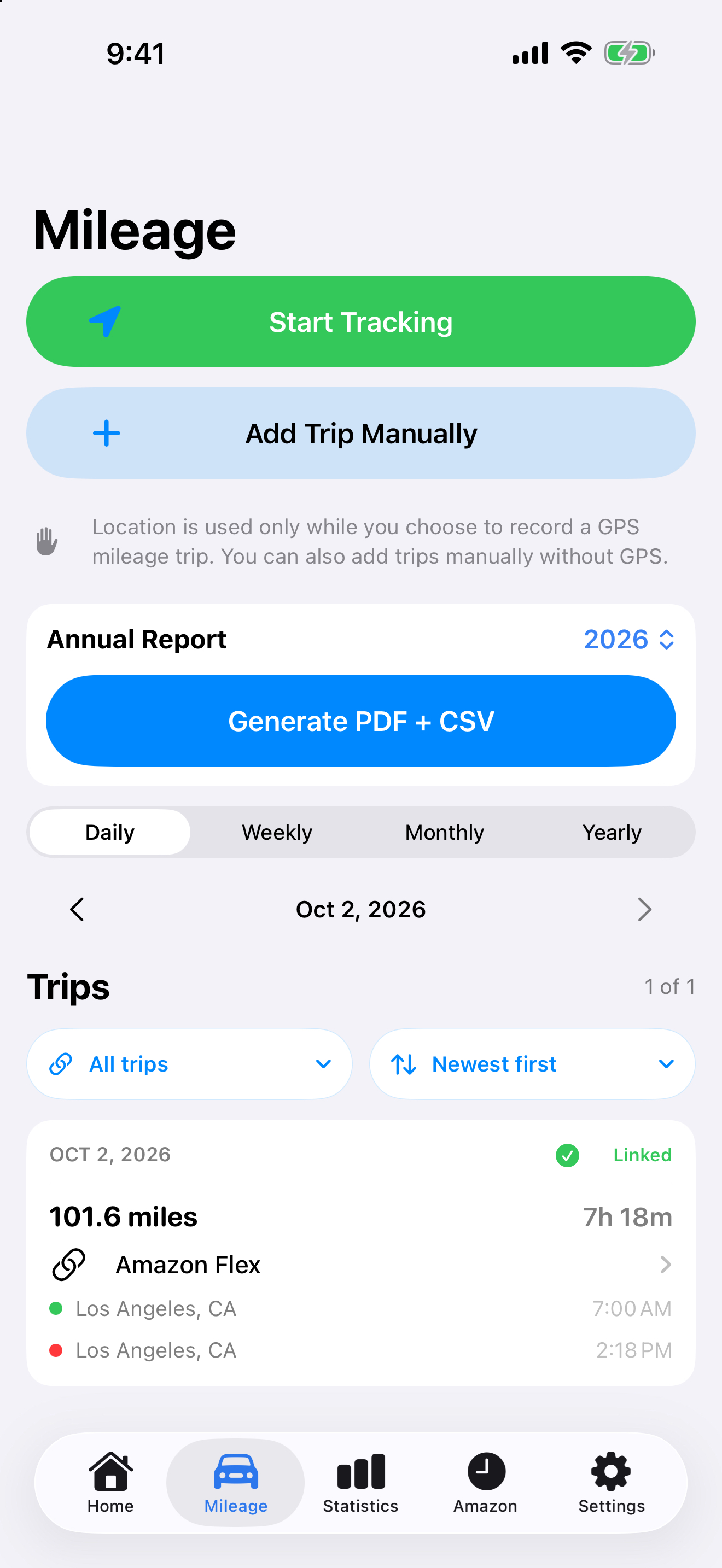
How Mileage works
You control when a work trip begins and ends. GIG Income records the information you need without automatically deciding which driving counts as work.
GPS work trips
Record route points, miles, work time and available start/end locations while tracking is active.
Add trips without GPS
Enter date, start and end time, duration and miles manually when a route map is not needed or was not recorded.
Edit forgotten times
Correct trip details when tracking was started late or stopped after the work period actually ended.
Connect trips to earnings
Link several trips to one income entry or one shared work trip to income from multiple gig platforms.
Review your mileage
Use trip history, date periods, link filters and sorting to understand which trips are recorded and which still need attention.
Annual mileage exports
Create annual or year-to-date mileage reports for recordkeeping in PDF and CSV formats.
Statistics that connect driving to earnings
Mileage can be viewed alongside work time, income per mile, income per hour, income, expenses, net result, goal progress and income by platform.
Receipts and expenses stay in the same app
Keep fuel, vehicle, parking, toll and other gig-work expenses together with your income and mileage records. Receipt photos can be attached to expense entries.
Miles are counted by trip, not by platform. Linking the same trip to more than one income entry does not duplicate its mileage in overall totals.
Mileage reports
Designed for annual recordkeeping and easier handoff to an accountant.
Summary Report
Annual or YTD totals, mileage, work time, trip count, trip log, linked income and reconciliation in a compact report.
PDF + CSVDetailed Report
Includes the core mileage record plus available addresses, GPS details and saved-route information where route points exist.
PDF + CSVGIG Income is a recordkeeping tool, not tax advice. Tax treatment and documentation requirements should be confirmed with a qualified tax professional.
Mileage pricing
Use Mileage on its own or combine it with Pro through the annual Bundle.
Mileage subscription
Pro + Mileage
Includes both GIG Income Pro and Mileage in one annual plan.
See all plans →Subscriptions are purchased through the App Store. New plan availability may depend on App Store review and rollout timing.
Mileage FAQ
Does tracking start automatically?
No. You start and stop mileage tracking manually, so you decide which trips are recorded as work.
Can I pause a trip?
Yes. You can pause and resume a trip when your workday includes a break.
Can I add mileage after the fact?
Yes. Manual trip entry lets you add date, times, duration and miles without a GPS route.
Can one trip connect to more than one gig platform?
Yes. A trip can be linked to income from multiple platforms without duplicating the trip's miles.
Can one income entry include multiple trips?
Yes. This is useful when one income entry covers separate work periods or split shifts.
Why might an address or route be missing?
Manual trips may not contain GPS data, and address availability depends on saved location information and geocoding.
Keep mileage with the rest of your gig records
GIG Income brings work miles, time, income, expenses and multi-platform statistics together instead of splitting them across separate apps.